SKIBIDI TOILET WAR Controls Guide
PC binds, mobile notes, abilities, ultimates, cockpit, and power-up UI.
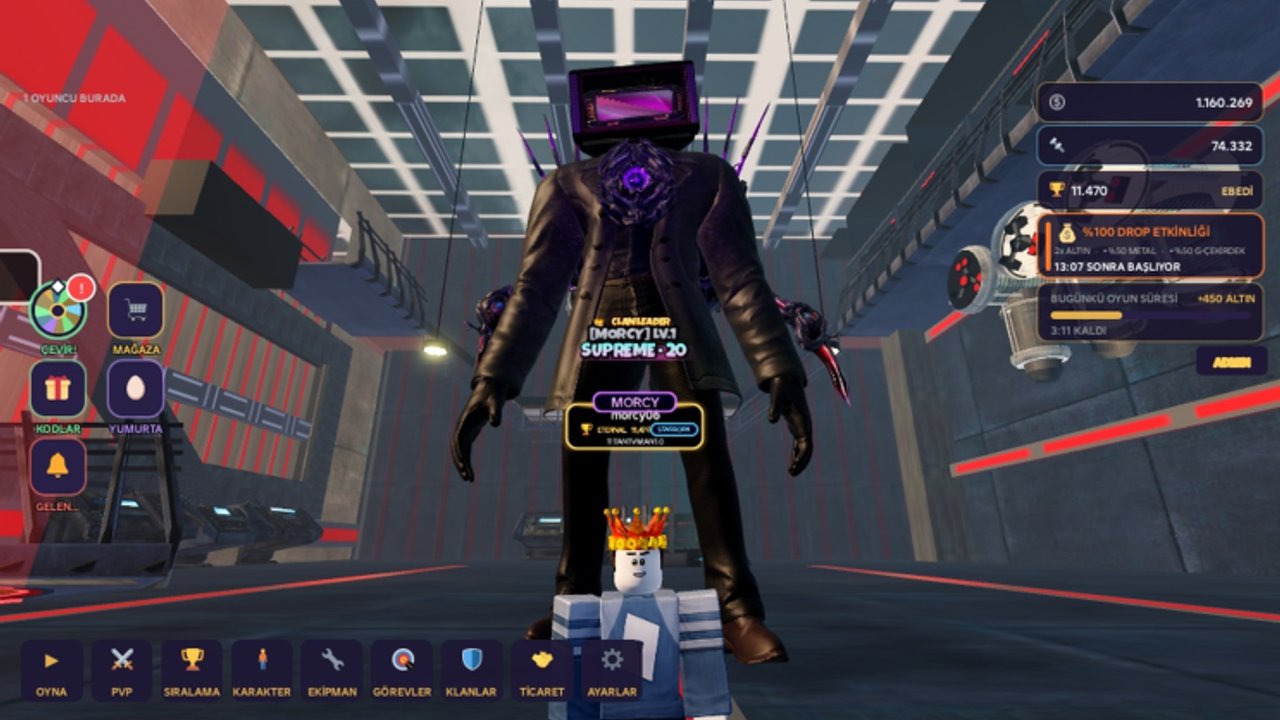
Clean inputs win more fights than raw morph rarity in SKIBIDI TOILET WAR. This controls guide covers the PC layout most players use, mobile touch notes, ability slots, ultimates, cockpit mode on Titans, and the between-wave power-up UI. Practice these binds in Rookie before you blame the tier list for a wipe. New accounts should pair this page with Getting Started.
PC controls (observed defaults)
| Action | Typical bind |
|---|---|
| Move | WASD |
| Attack / primary fire | Left mouse button |
| Ability 1 | 1 |
| Ability 2 | 2 |
| Ability 3 | 3 |
| Dodge / mobility skill | 4 |
| Ultimate (on operators that have one) | Q |
| Throwable / grenade | dedicated throwable key (on-screen prompt) |
| Cockpit camera / Titan cockpit | V (supported Titans) |
| Camera look | Mouse |
Roblox may remap some keys through its own settings menu. If a bind feels dead, open Roblox escape settings and confirm nothing else stole the key. Always glance at the on-screen ability bar — icons light up when a skill is ready and dim on cooldown.
Ability slots and combat rhythm
Operators across Cameraman, Speakerman, TV-man, and Titan families expose up to three active abilities plus a mobility slot:
- Slots 1–3 — character skills (shields, lasers, stuns, summons — kit dependent).
- Slot 4 — dodge, dash, jump, or other mobility. This is your panic button against boss wind-ups.
- Ultimate (Q) — long cooldown spike. Save it for bosses and G-Man phases, not random wave 2 trash.
- Grenade / throwable — soft area damage or utility; throw before a push, not after you are already stunned.
A simple Rookie rhythm: auto-attack pack → weave ability 1 on cooldown → save 2/3 for elites → dodge on orange telegraphs → ultimate on wave 5 bosses. For Elite G-Man habits, escalate that plan using How to Beat G-Man.
Ultimate discipline
Ultimates win Master and G-Mod only if they land in the right phase. Bad habits:
- Dumping Q on the first elite of a wave.
- Ultimating while the boss is invulnerable or mid-transition.
- Overlapping three ultimates with no stagger, leaving the next phase empty.
Good habits:
- Call “ult ready” in squad chat.
- Hold Q for adaptive phase shifts when HP thresholds change patterns.
- On Heavy Guns, ask whether the ultimate should peel the base instead of padding your damage meter — see Modes and Difficulty.
Cockpit mode (V) on Titans
Some Titans support a cockpit view toggled with V. Use it when you need finer aiming or when a showcase / upgrade preview helps you learn hitboxes. Leave cockpit if it hurts awareness of leaks in JUGGERNAUT or of shared-life threats in G-Mod. Not every operator has cockpit — if V does nothing, you are on a morph without that camera mode.
Titans also tend to have heavier animations. Buffer dodge earlier than you would on a light Cameraman. Unlock goals for UTCM, UTSM 3.0, UTTVM, Executor, and G-Man 5.0 are covered in Unlock Titans.
Power-up UI between waves
After each wave you pick a power-up card. Controls here are click / tap selection, not WASD. Tips:
- Read the card text once; do not autopick the top option.
- On controller or trackpad, confirm the highlight before locking in.
- Timer pressure is real — know your priority list before the draft appears (HP early, boss damage later).
- If you misclick, own it and adjust play; the run continues.
Card priority still depends on mode. Rookie survivability, DESTROY THEM! tempo, and G-Mod boss DPS are different drafts even with identical binds.
Mobile and touch notes
On phones and tablets you will see on-screen joysticks and ability buttons instead of 1–4 keys:
- Keep thumbs clear of the ability cluster so you do not mis-fire ultimate.
- Enable any available shift sensitivity options if looking around feels sluggish during flying enemies.
- Consider a smaller HUD scale if buttons cover boss telegraphs.
- For serious Elite or G-Mod pushes, many players prefer PC for dodge precision — mobile remains fine for Rookie farming and daily wheel sessions.
Exact button positions vary with Roblox touch UI updates; trust the labeled icons over memorized pixel locations.
Operator classes and skill books (seasonal systems)
Seasonal updates (including Halloween-era class work) introduced class labels such as Tank, Vanguard, Gunner, and Mystic, with abilities leveling via skill books. When those systems are live, open the upgrade UI from the lobby and spend books intentionally — maxing a dead skill wastes resources. Controls do not change, but which ability you press first might.
Practice drills (ten minutes)
- Rookie wave 1–3: only use attack + dodge. Learn telegraph timing.
- Wave 4: add abilities 1–3 on cooldown without standing still.
- Wave 5 boss: force yourself to save Q until the boss spawns.
- Replay with a Titan and toggle cockpit V once to feel the camera.
- Finish by drafting cards deliberately — say the pick out loud.
Troubleshooting
- Abilities not firing: check cooldown UI and whether you are stunned or in a menu.
- Wrong key: Roblox keybind conflict; reset in settings.
- No cockpit: morph lacks V support.
- Ultimate missing: that operator may not have a Q ult; rely on 1–4.
- Mobile lag: lower graphics, close background apps, or switch to PC for hard modes.
Related reading
- Getting Started — first session plan
- Modes and Difficulty — when to use which tools
- How to Beat G-Man — boss-specific cooldown timing
- Unlock Titans — morphs that change your bar
- Guides Hub — all guides
- Players — who uses which kits
Master dodge and ultimate timing on a cheap operator first. Fancy Titans only multiply the habits you already built.
Frequently Asked Questions
Quick answers to the most common questions.
What are the default PC controls in SKIBIDI TOILET WAR?
WASD to move, left click to attack, 1–3 for abilities, 4 to dodge or mobility, Q for ultimate on supported operators, and V for cockpit on some Titans.
How do ability slots work?
Slots 1–3 are character skills on cooldown. Slot 4 is usually dodge or mobility. Watch the on-screen bar for readiness instead of mashing blindly.
When should I use my ultimate?
Save Q for bosses and dangerous G-Man phases. Avoid spending it on early trash waves unless the squad needs an emergency peel.
What does the V key do?
On Titans that support it, V toggles cockpit camera. If nothing happens, your current morph does not include cockpit mode.
Can I play SKIBIDI TOILET WAR on mobile?
Yes. Touch joysticks and ability buttons replace keys. Mobile is fine for Rookie farms; many players prefer PC for Elite, Master, and G-Mod precision.